
When developers deliver surprise patches to beloved classics, the community usually celebrates the arrival of renewed support and fresh quality of life features. However, PC players attempting to download the latest patch for Nier Automata were greeted by a massive digital roadblock instead of a standard package. What was intended as a routine localization update designed to implement Simplified Chinese, Traditional Chinese, and Korean text support unexpectedly altered Steam storage requirements into an SSD-crushing nightmare. Rather than occupying its typical footprint of around 50 gigabytes, the client suddenly demanded an eye-watering 366.5 gigabytes of free disk space before permitting an installation.
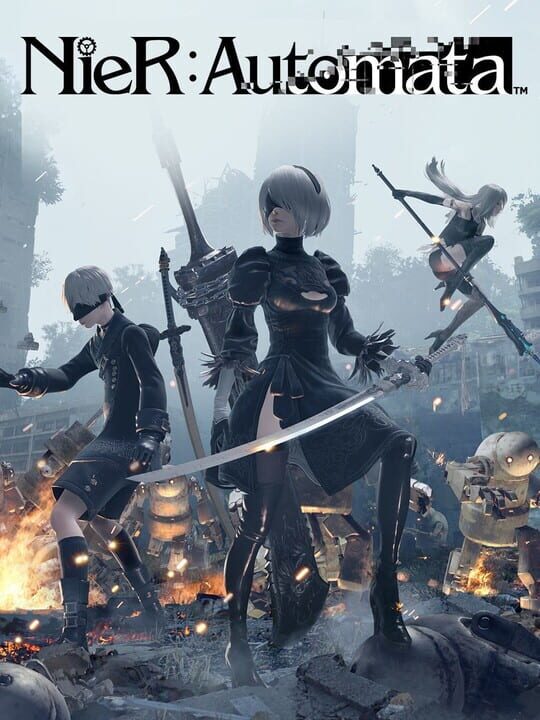
▲ Official Cover Art (Source: IGDB)
The Phantom Bloat Behind the Language Patch
The sudden surge in drive allocation immediately baffled the player base, transforming a welcome accessibility patch into an administrative headache for those running standard high-performance solid-state drives. Technical breakdowns reveal that the underlying issue stems directly from how Steam allocates space for the title’s downloadable content packs. In this anomalous patch state, the client treats every single piece of optional DLC as an entirely separate duplicate instance of the core game client rather than reading them as lightweight configuration tags and cosmetic asset files. Because all eight distinct DLC packs register at the full base weight simultaneously during the initial staging phase, the installer attempts to reserve well over seven times the necessary disk capacity.
Remarkably, this inflated footprint exists almost entirely as an installation and pre-allocation error rather than permanent data corruption. Players who managed to possess enough raw drive space to endure the massive 366GB pre-allocation reported that the final installed footprint collapses back down to roughly 50 gigabytes once all packages finish unpacking. Nevertheless, for the vast majority of gaming setups where free drive space remains a carefully budgeted luxury, being locked out by an artificial allocation barrier created immediate frustration across the community. Square Enix formally acknowledged the situation through an official Steam announcement, confirming that an active investigation is underway to rectify the installer deployment scripts.
Official Workaround to Bypass the 366GB Requirement
While the development team works on a server-side corrective hotfix to adjust repository manifests, affected players do not need to clear out their entire game libraries to jump back into action. Square Enix detailed a straightforward client-side workaround that prevents the Steam installer from triggering the cascading duplicate allocation routine. By manually preventing the eight individual content licenses from queuing simultaneously during the primary installation handshake, the download client defaults back to its intended standard storage envelope.
- Step 1: Navigate to your Steam Library and right-click on Nier Automata.
- Step 2: Select Properties from the contextual dropdown menu and open the DLC submenu on the left rail.
- Step 3: Uncheck every individual DLC item in the list, ensuring all eight optional packages are completely disabled.
- Step 4: Initiate the primary download, which will now accurately request only the intended 50GB storage allocation.
- Step 5: Once the core files finish verifying and installing, re-check the DLC boxes to cleanly pull the lightweight cosmetics and arena content.

▲ Gameplay & Official Media (Source: IGDB)
The Broader Impact on PC Storage Realities
While this incident represents a clerical repository bug rather than intentional game expansion, the sheer visual shock of seeing Nier Automata demand 366GB taps directly into an ongoing anxiety throughout modern PC gaming. High-budget productions consistently eclipse 100 gigabytes as baseline practice, while massive military shooters like Call of Duty installments frequently surpass the 200GB threshold once high-resolution texture caches are compiled. Extensive simulation environments such as DCS World have pushed past 250GB footprints in complex configurations, making disciplined storage management an everyday reality for PC enthusiasts.
An anomaly of this magnitude serves as a wake-up call regarding client deployment integrity and digital distribution checks. When an unexpected manifest error can instantly freeze out players on metered internet connections or mid-range NVMe drives, QA pipelines for legacy patches need to be just as rigorous as those for day-one launches. For now, players exploring the melancholic landscapes of Nier Automata can rely on the manual DLC uncheck method while awaiting the permanent backend fix from the developers.
📌 Frequently Asked Questions (FAQ)
Q. Why did the Nier Automata update increase the game size to 366GB?
A. A Steam manifest error caused each of the game eight DLC packages to duplicate the full base game file size during pre-allocation, multiplying the required initial download space from 50GB to over 366GB.
Q. Does Nier Automata permanently take up 366GB after installation?
A. No, once the download and unpacking processes conclude, the installed file size collapses back to its normal footprint of approximately 50 gigabytes.
Q. How can players download Nier Automata without needing 366GB of free space?
A. Go to game Properties in Steam, navigate to the DLC tab, uncheck all eight DLC packs, download the base game at its normal 50GB size, and then re-enable the DLC packs after installation.
Manifest Staging Failsafes Need Modern Distribution Audits
The file size anomaly seen in Nier Automata highlights a fundamental blind spot in automated digital store pipeline verification. When DLC entitlement flags inherit parent installation weightings during the pre-allocation phase, consumers suffer immediate friction regardless of post-install parity. Digital storefronts must integrate strict manifest ceiling alerts that catch redundant package staging before pushed builds compromise user bandwidth and drive allocation.
Final Pulse Score: ⭐⭐⭐⭐☆